R&D AT HOME
During the pandemic at Bluecadet, I used R&D time to learn new 3D and AR tools, and it led to an AR celebration I built myself, tested on my phone, and published on the web with developers.
THE RESULT
TIME AT HOME
ROOM TO EXPERIMENT
Working from home gave me room to ask what else could happen through a screen, on a printed brochure, or in the space around me.
At Bluecadet, we explored ways to gather and celebrate online during the pandemic. I modeled environments and characters for a shared holiday world, then investigated how AR could bring a museum brochure to life.
For a New Year celebration, I took on modeling, rigging, animation, and an AR prototype myself, learning Blender and AR tools as I went. Once developers joined, we published it on the web.
ONLINE HOLIDAY
I modeled four environments and eleven characters for a shared holiday world.
BUILD A PLACE TO GATHER
As the modeler, I created four environments to explore for a digital world where people could gather and chat online.
A developer had already built a real-time multiplayer prototype with socket.io, and we turned it into an online holiday gathering. My part was the places people would move through together.
GIVE THE GATHERING CHARACTERS
I modeled eleven original characters for the people entering our online holiday world.
On arrival, each visitor received an avatar with randomized body elements. Clicking the avatar switched its style, adding a playful way to take part in the gathering.

MUSEUM BROCHURE
My own question: could art rise off a printed brochure and guide a museum visit?
WHAT IF PRINT COULD OPEN?
I wanted AR to spark curiosity and guide a visit, starting with the brochure visitors might pick up when they entered a museum.
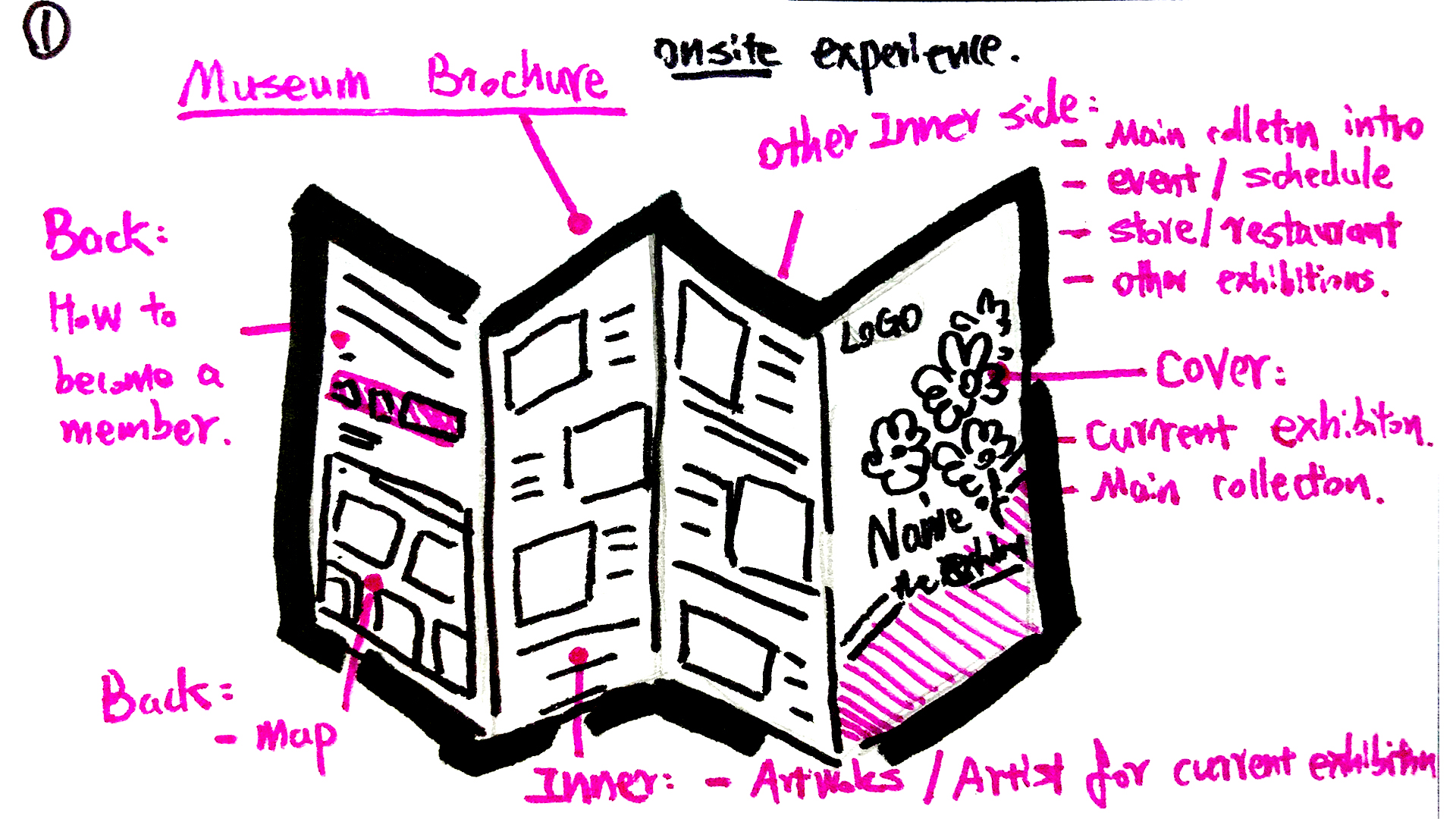
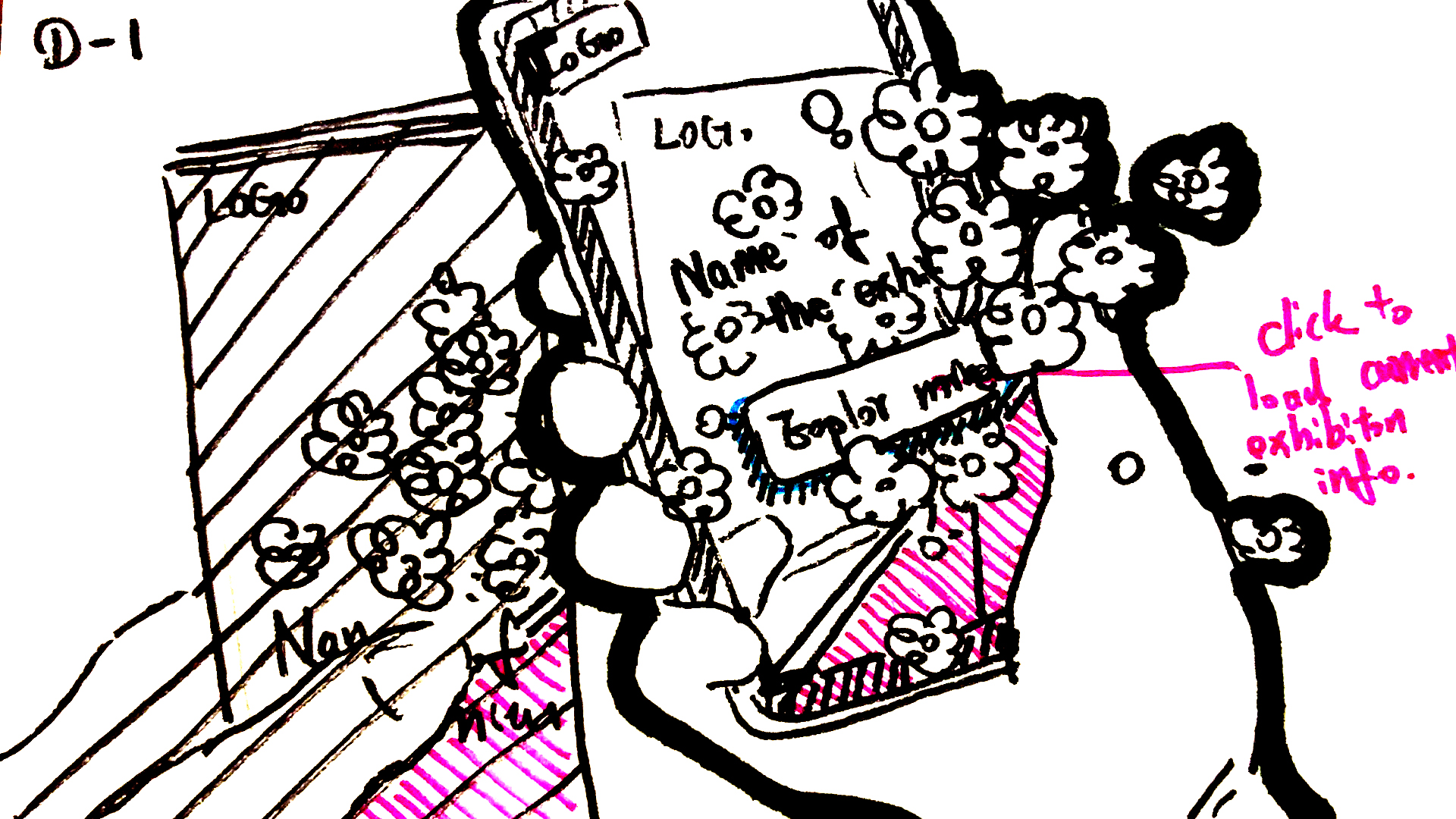
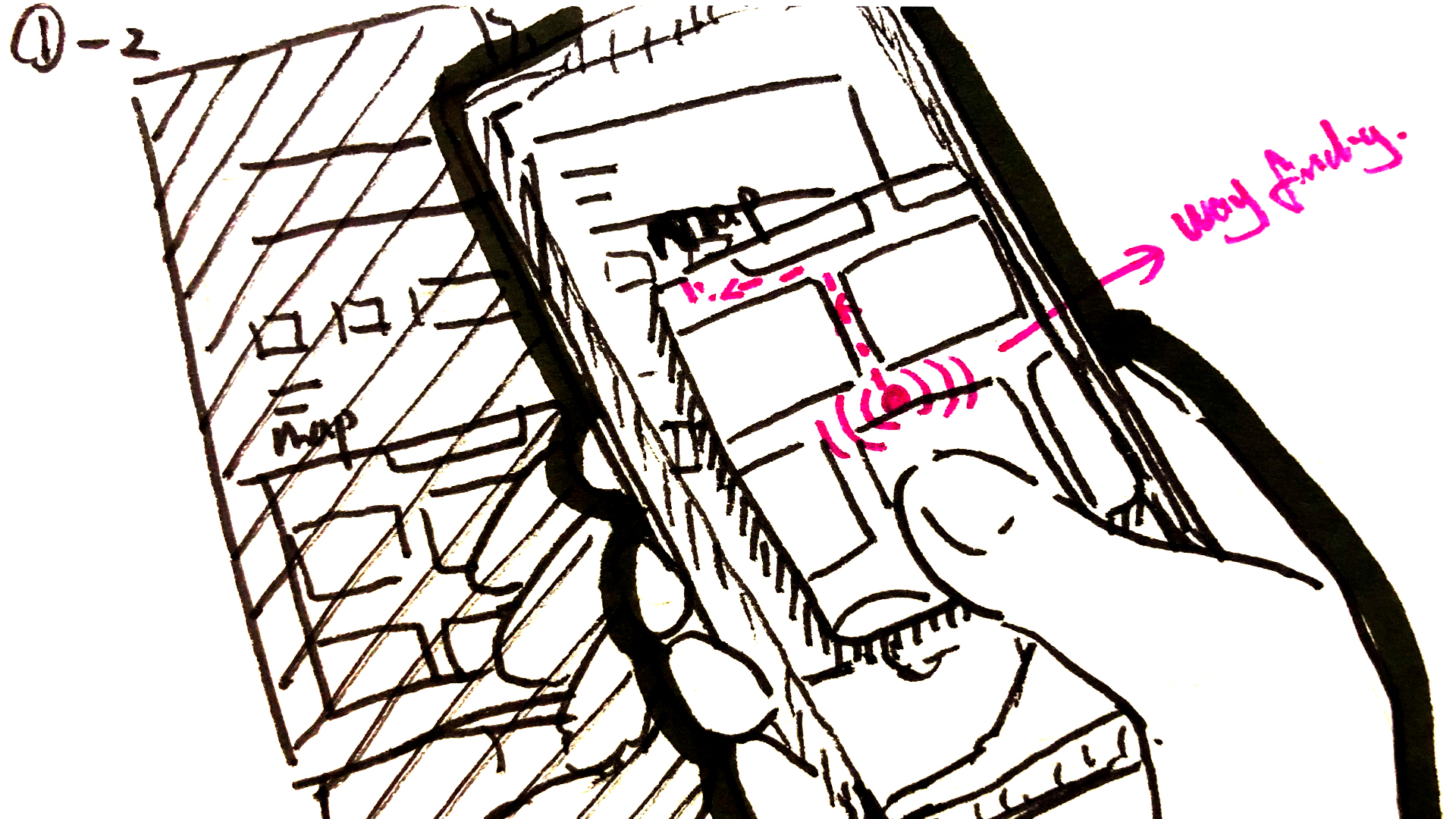
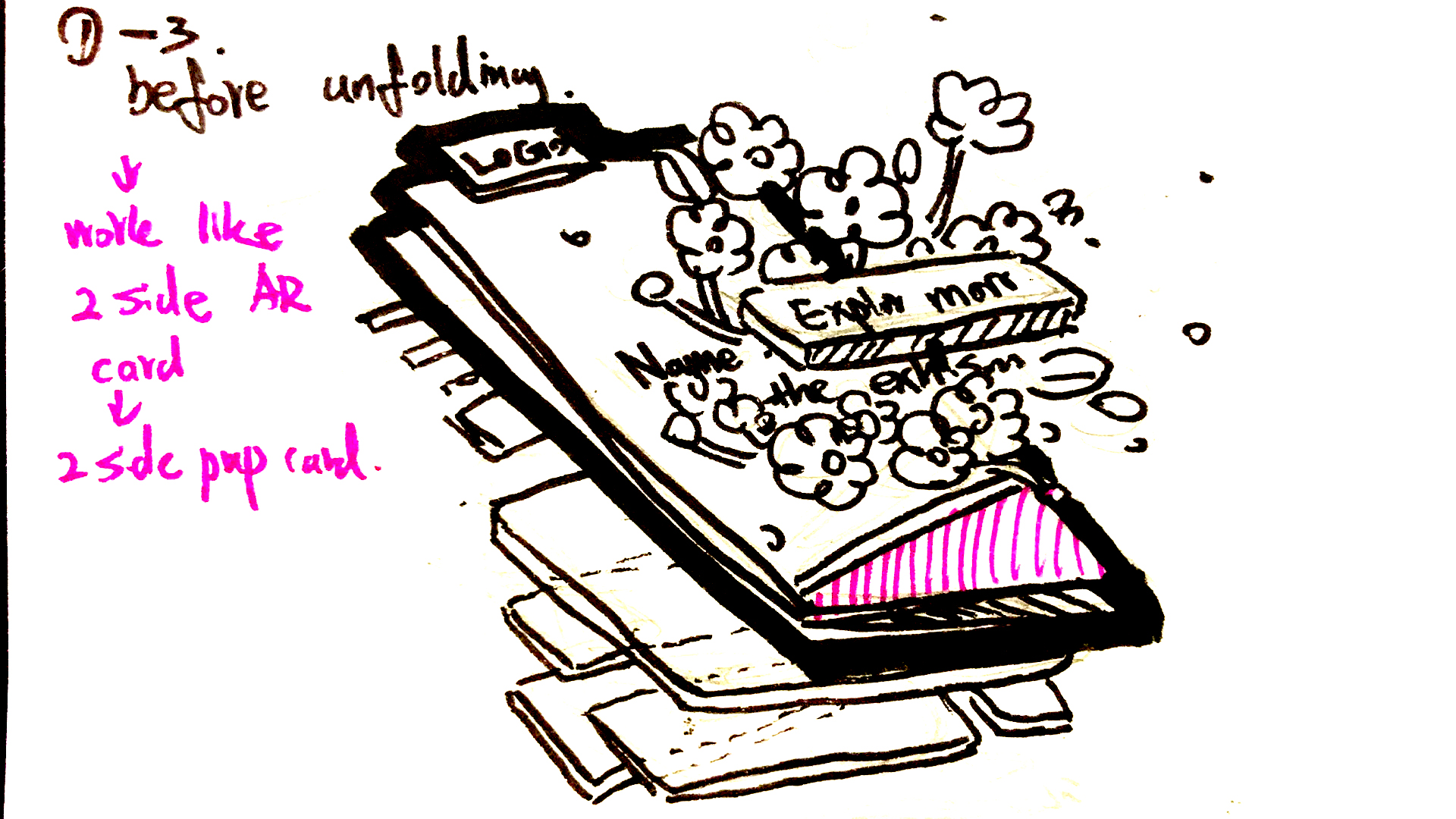
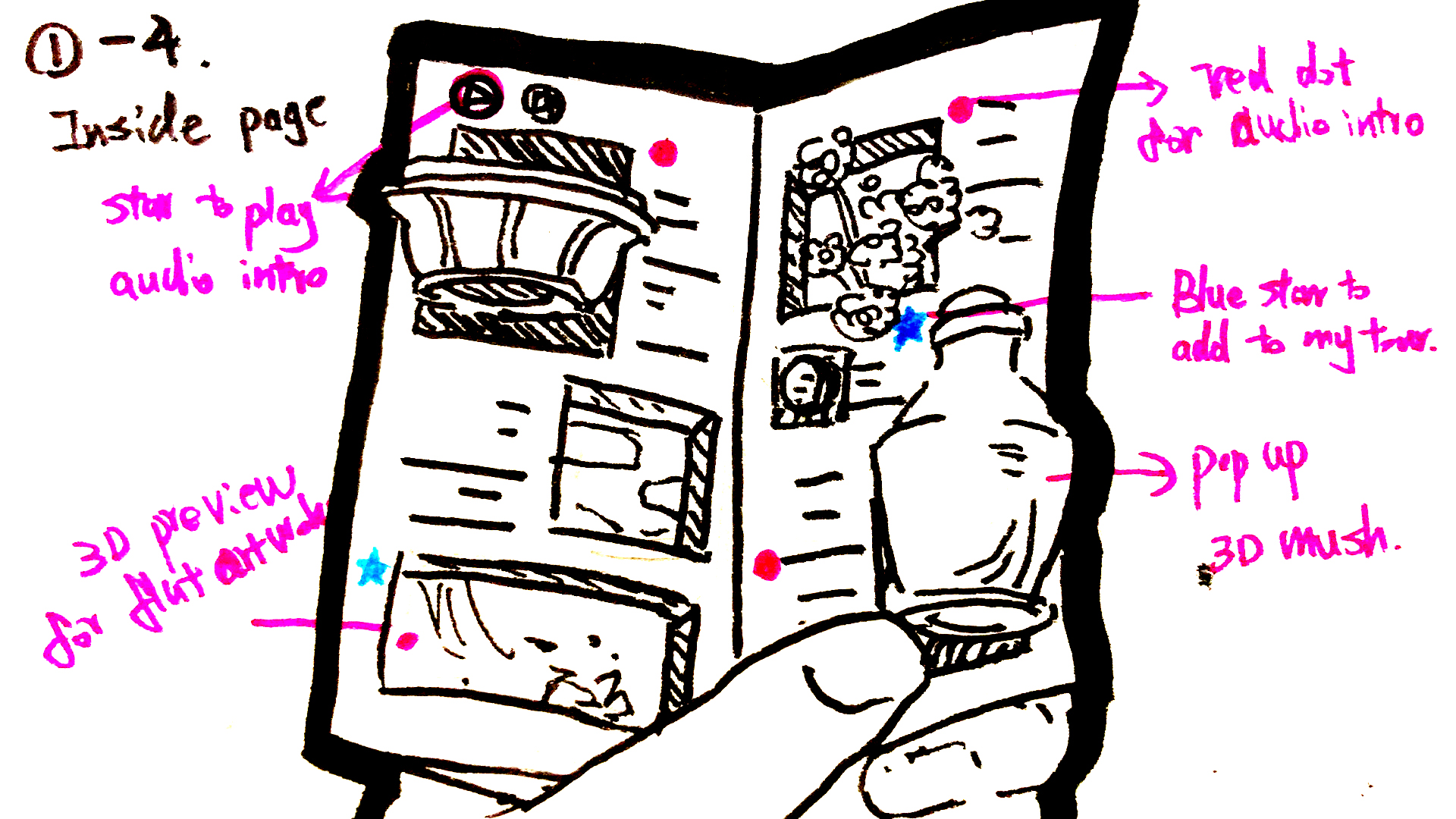
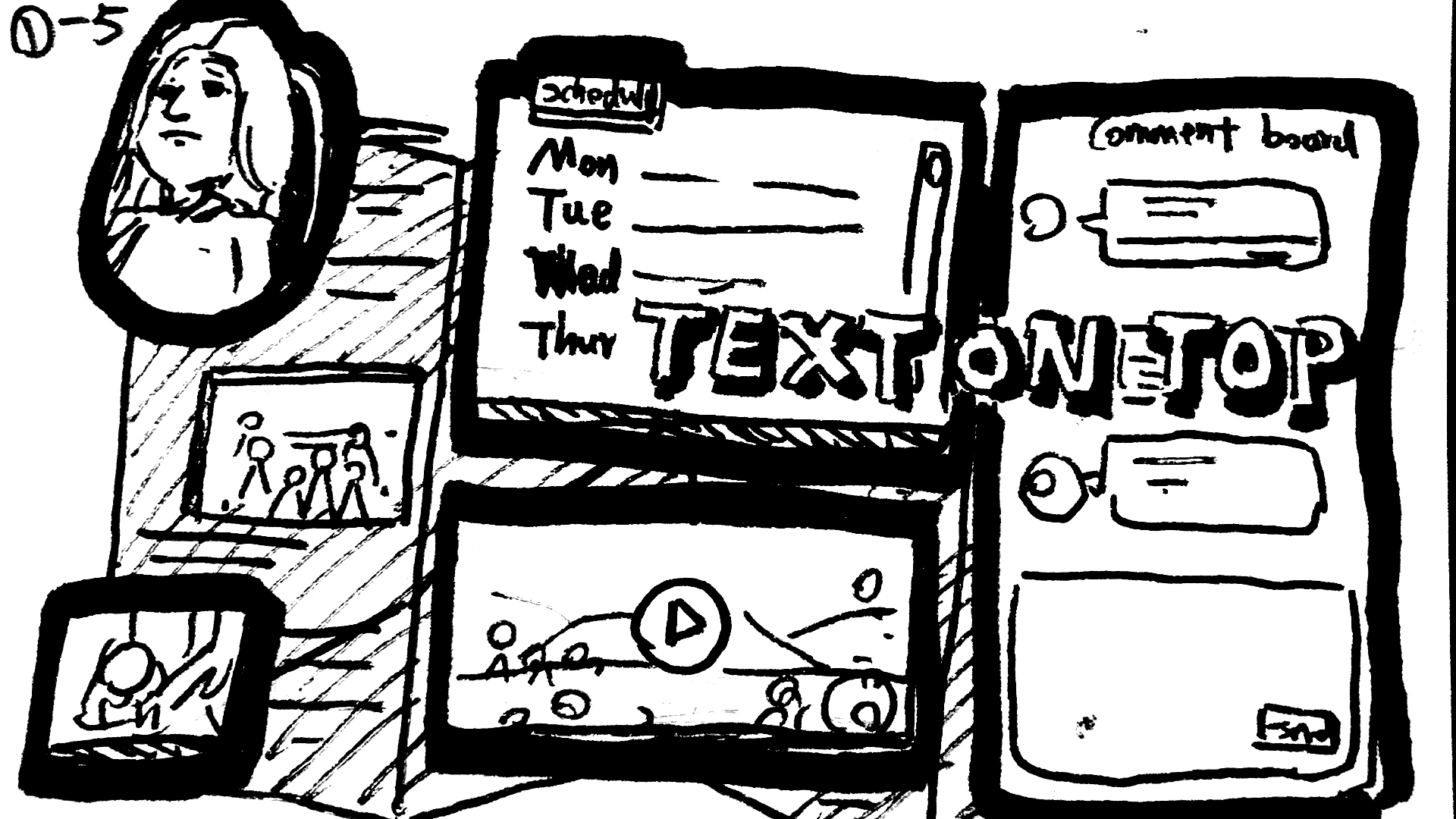
I set three goals: invite people to try it, help them navigate the museum, and make it easy for all ages to use. The phone should support looking at art, not replace it. I sketched the moment AR switches on, tracking on both sides of the paper, and picking artworks inside, then explored a layout that changes as the brochure unfolds.
MAKE THE PAPER REAL
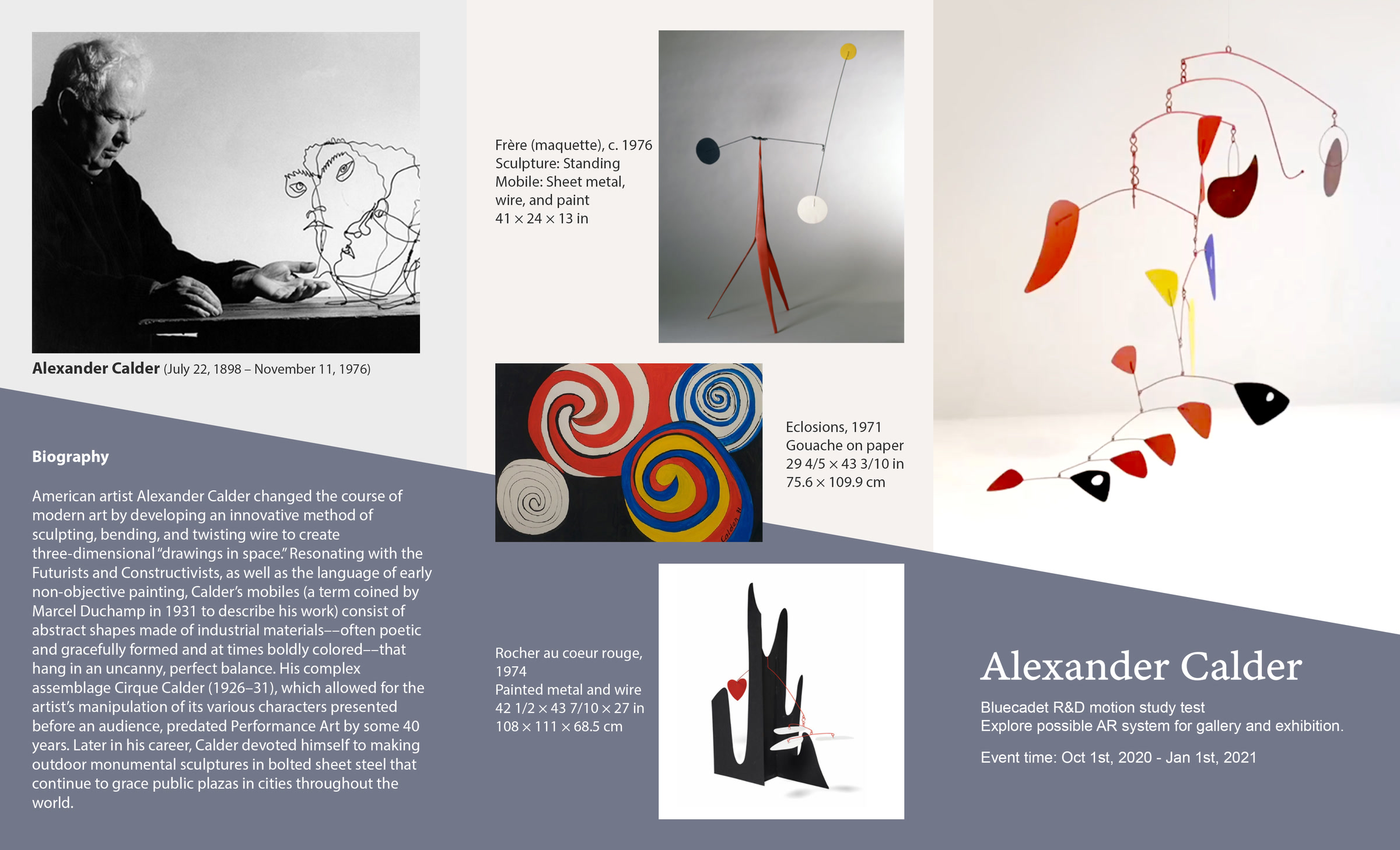
I designed and printed a mock museum brochure to put the idea in my hands and give the motion study something real to work with.
I filled one side with Calder’s biography and artworks, and the other with Bluecadet information and a map, then used it as my prop for filming and testing. In the full color motion study, a Calder mobile rises from the cover, stars mark saved stops, and turning the page reveals a route map.
MAKE THE SCULPTURE TESTABLE
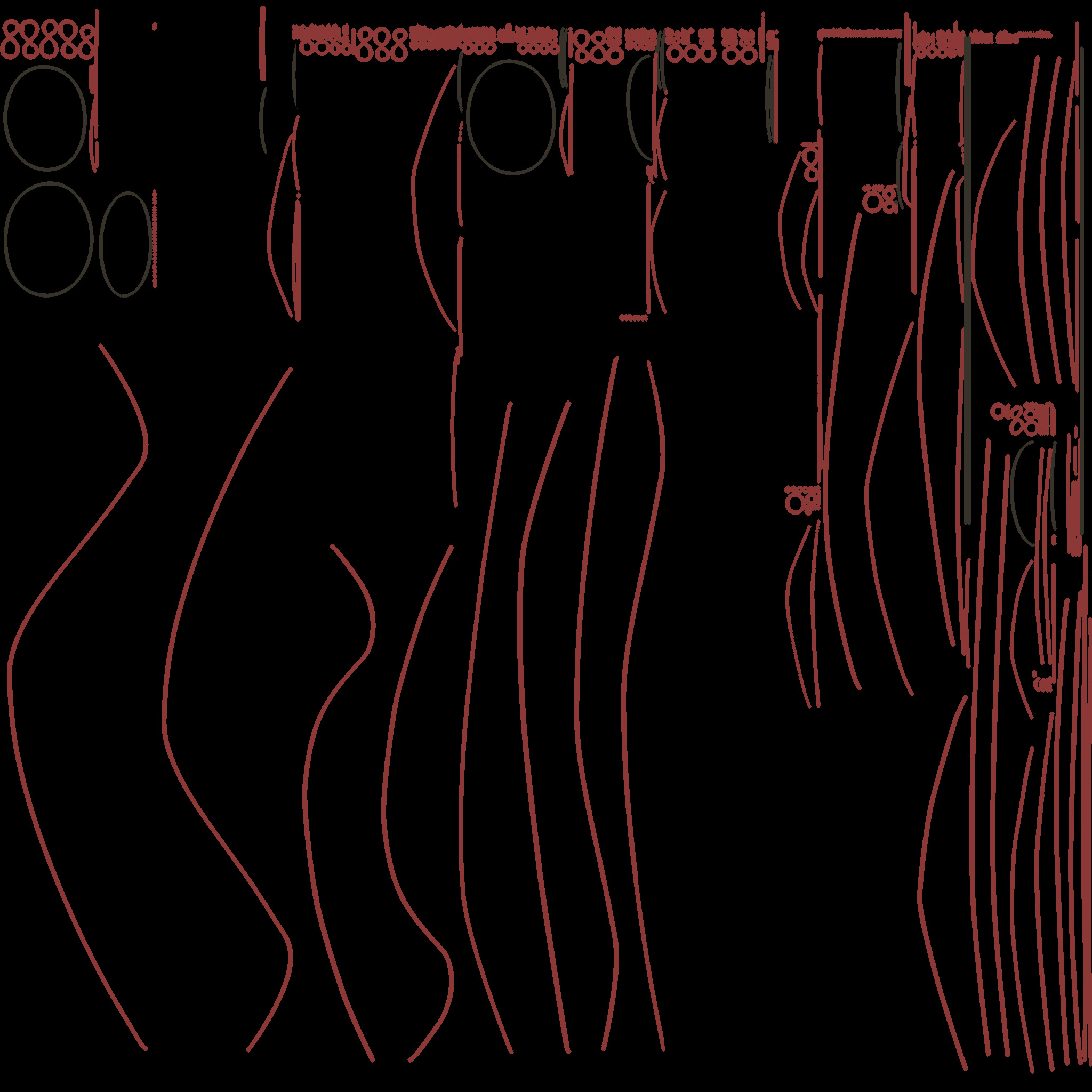
I recreated Calder’s Double Gong in Cinema 4D to test materials in AR, then prepared its textures in Blender.
I organized the UVs and baked textures from multiple objects into one texture map. This gave me a model to use in motion studies and AR prototypes. I also made a gray Cinema 4D mockup of the brochure opening and closing to explain the proposed interaction to developers.
TRY TWO AR WORKFLOWS
I took the model through two paths into AR, exploring Reality Composer alongside a web-based workflow with 8th Wall.
I converted the OBJ model to USDZ for a simple Apple AR prototype and to GLB for 8th Wall. Working through both let me study how the workflows differed. The full brochure experience was a motion study; these prototypes were my first steps toward making it work in AR.
NEW YEAR AR
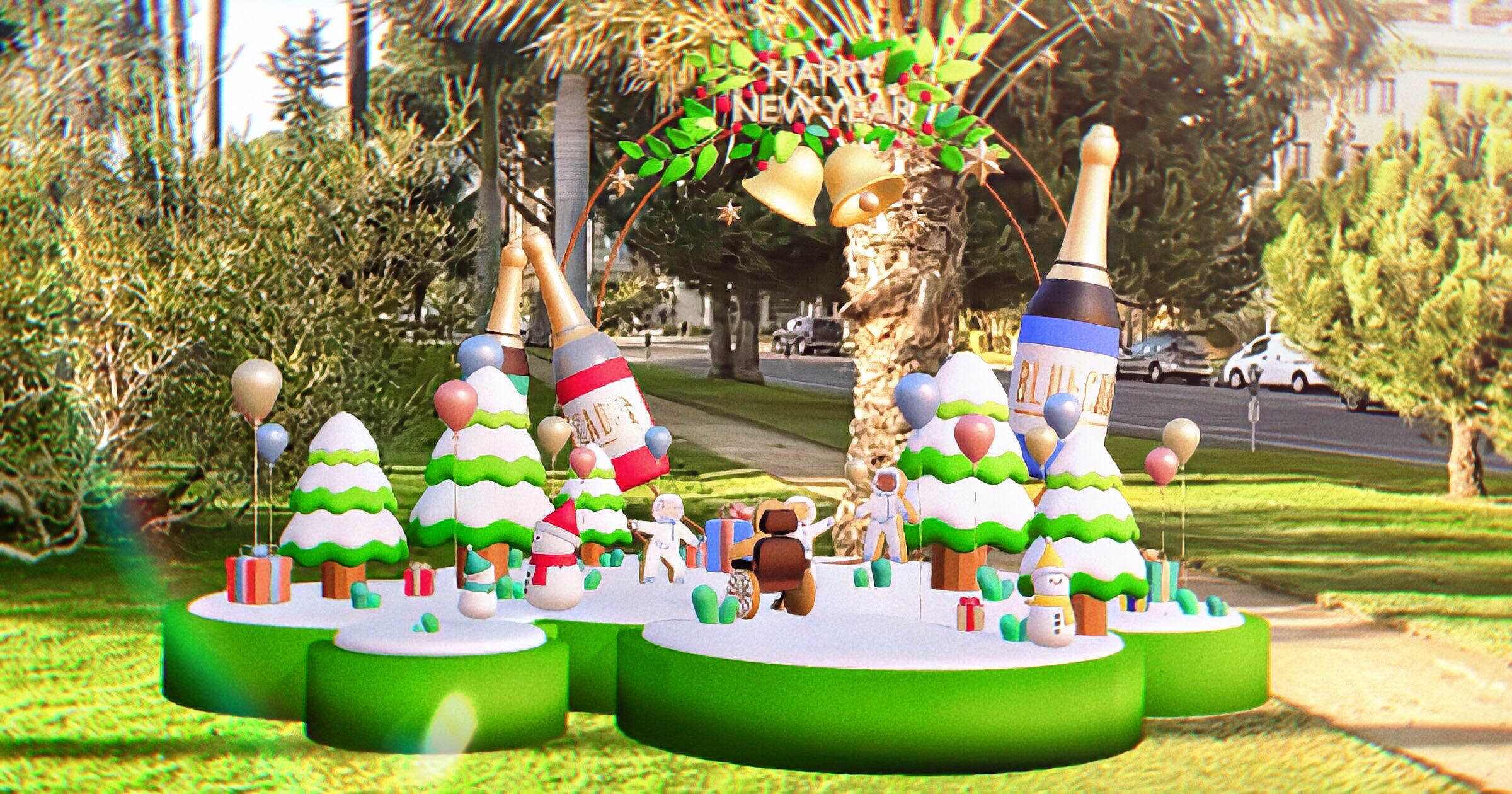
I built a gingerbread astronaut’s party in AR, then worked with developers to publish it.
GIVE THE IDEA A PLAN
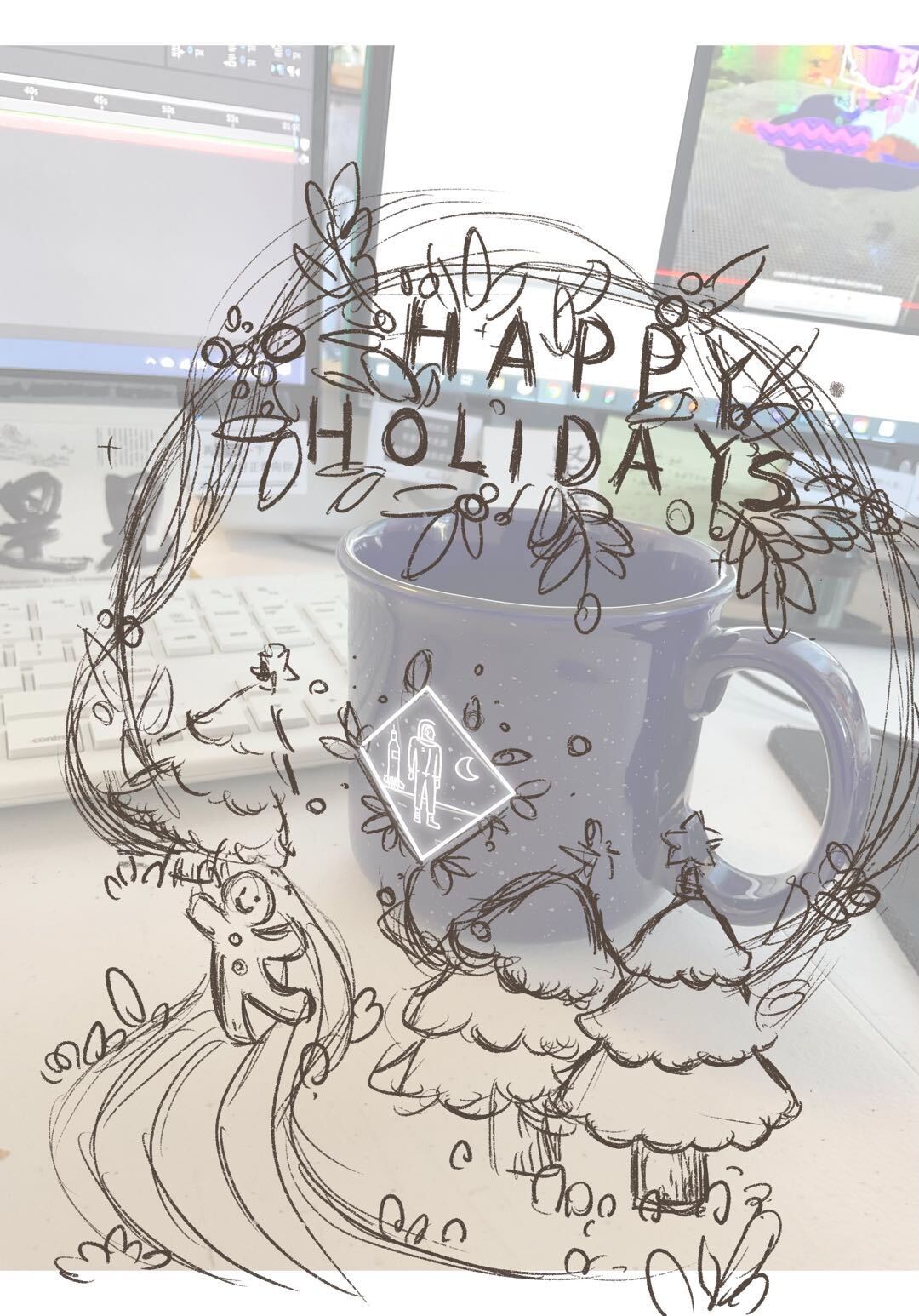
I started with sketches, then gave my manager a plan to review, including the concept, production tasks, and a rough time estimate.
My first idea was an AR holiday card triggered by scanning the Bluecadet logo. I broke the work into modeling and texturing, rigging, animation, and AR setup, estimating 12 to 13 days. Mailing objects would add cost, and people were working from home, so my manager and I moved to a card people could open and share online, with 8th Wall as the easy way in.
An AR holiday card: scan the Bluecadet logo to bring a 3D holiday scene to life.
Modeling and texturing, 5 days · Rigging, 2 days · Animation, 3 days · 8th Wall, 1.5 days · Reality Composer, 1 day.
12 to 13 days, with extra experiments only if time allows.
Digital, on our website and in the newsletter, so people working from home can open it and share it.
BUILD THE WORLD IN BLENDER
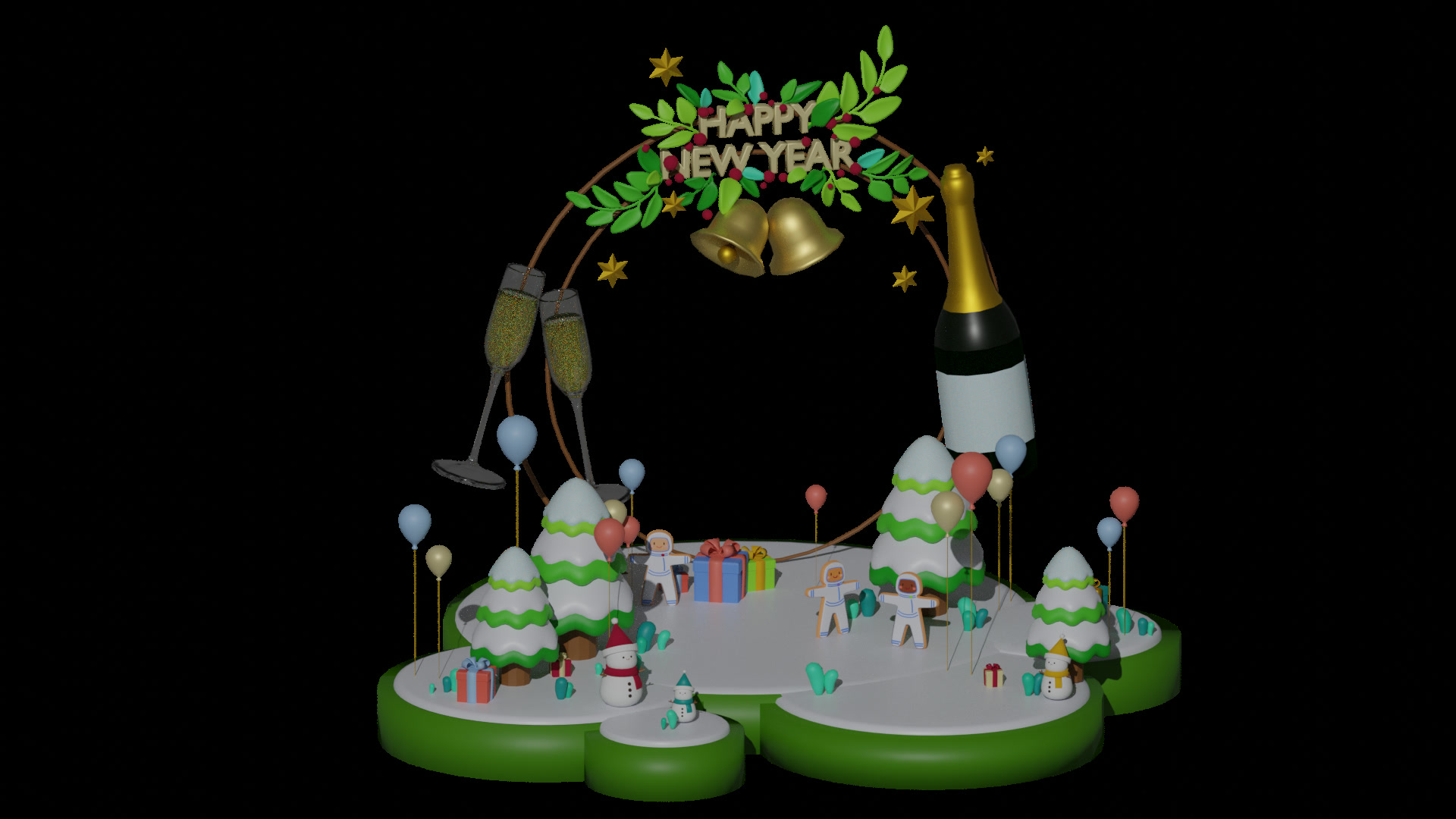
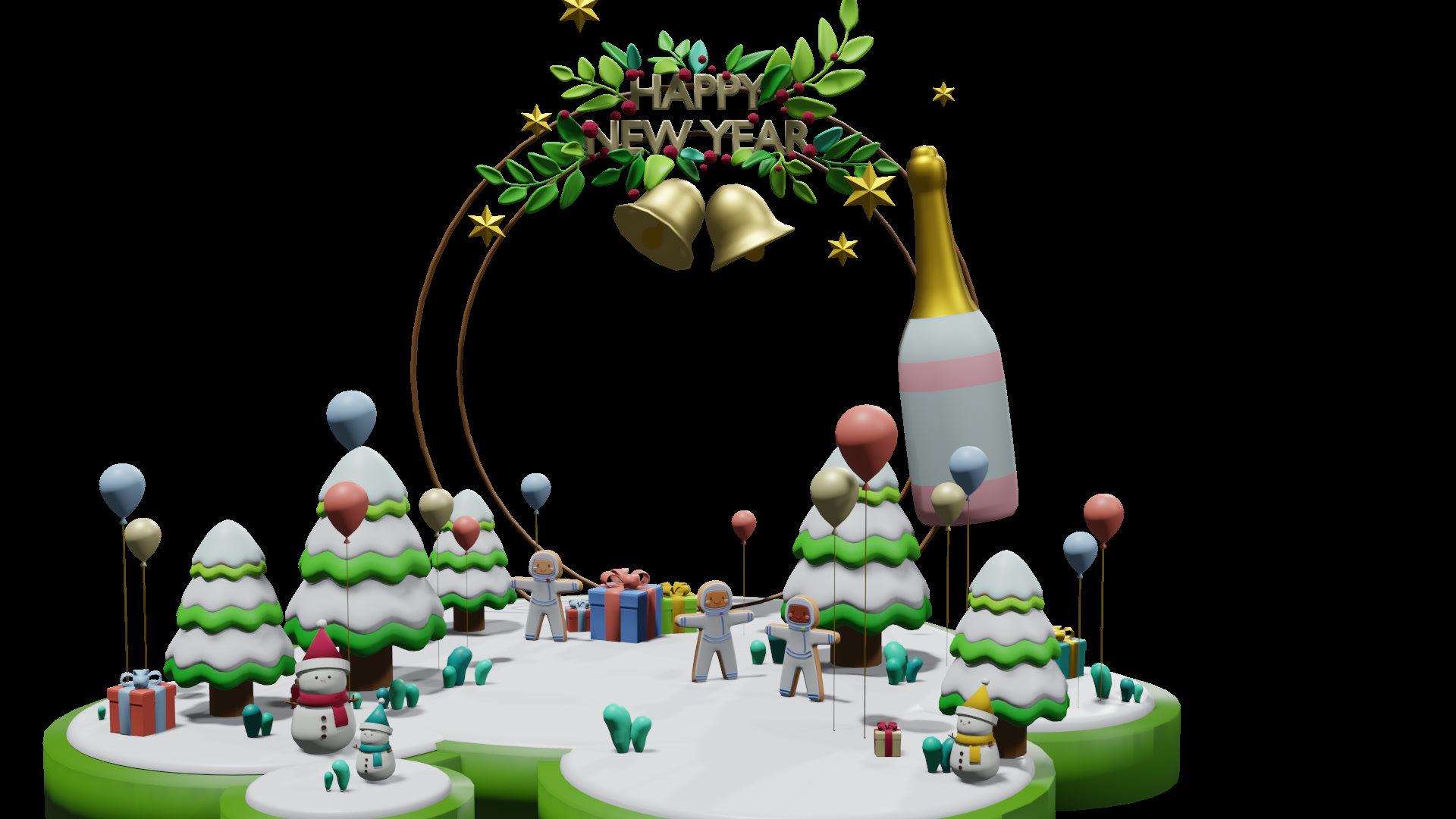
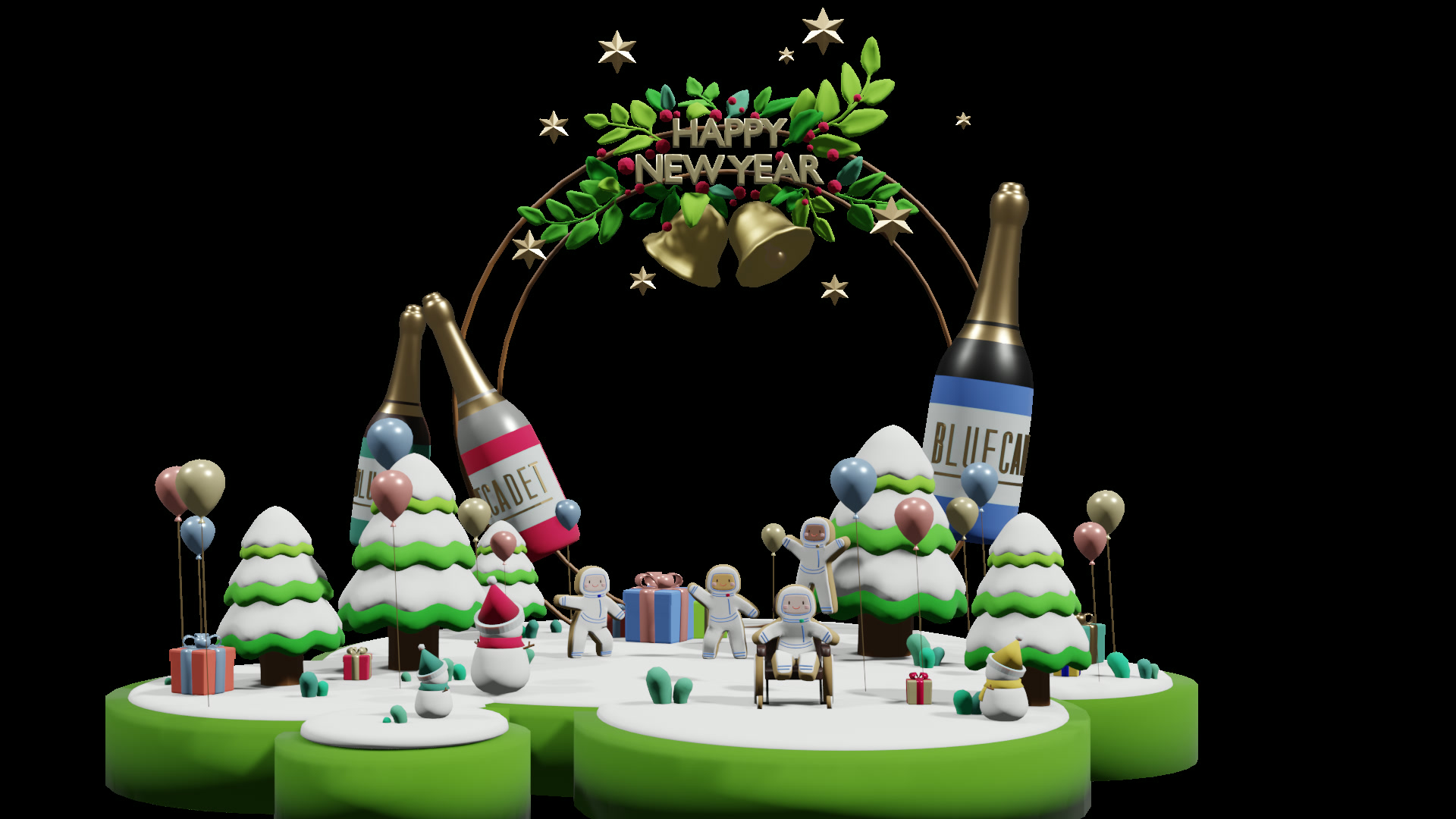
Trees, gifts, a wreath, and gingerbread astronauts: I modeled and textured the party while learning Blender.
Planning every object before I started kept the modeling and texturing on track, even in a tool that was new to me. The harder part came next: getting the characters to move.
FIX THE DISTORTED RIG
Automatic rigging turned my gingerbread astronaut into a distorted mesh, so I looked for the cause in tutorials and in my own model.
The character was not in a T-pose, and its many layers had not been assigned to the right rigging areas. The automatic weights could not handle the model as I had built it. I grouped the vertices by area and painted the weights by hand until the astronauts could move, then went on to animation.
SIMPLIFY TO KEEP GOING
To keep the AR prototype moving while developers were on another project, I planned an opening and a loop, with less code to manage.
I split the animation into an opening sequence and a looping party scene, then tested the transition in Reality Composer. This kept the prototype moving while developers were on another project and prepared it for the later move to 8th Wall.
TAKE THE SCENE OUTSIDE
While I was still modeling, I tested the scene on my phone and found the unopened gift needed to be smaller and the party larger.
I tried small and large scales and checked the height, shape, and animation in the space around me. Testing this early meant I could fix the model before it was finished.
MAKE IT EASY TO ENTER
After I shared the prototype internally, developers joined to help us bring the celebration to the web through 8th Wall.
People could open a link or scan a QR code on their phones without downloading an app. I invited teammates to test it, and their feedback surfaced confusion around floor detection, loading, and what to do next; a developer worked on instructions and a reset button. After almost a month of production, we finished the experience before the holiday.
Open the link to find the QR code.
Scan the QR code with your phone camera.
Scan the floor to place the winter holiday world.
Note any confusion with loading, floor detection, or what to do next.
A developer added on-screen instructions and a reset button before we published.